How to Fix Google Merchant Center Issues
Google Merchant Center issues can prevent your products from appearing on Google Shopping, cause product disapprovals, restrict product visibility, or even suspend your Merchant Center account.
The problem can come from your website, product data, product feed, Shopify integration, shipping settings, business information, policies, or Google Merchant Center account.
This complete guide explains how to diagnose and fix the most common Google Merchant Center issues, including Misrepresentation, account suspension, product disapprovals, products not showing on Google Shopping, price mismatches, availability problems, shipping issues, feed errors, and Shopify integration problems.
If you are not sure which problem is affecting your account, start with the diagnostic process below and then open the specialized guide for your specific issue.
What Is a Google Merchant Center Issue?
A Google Merchant Center issue is a problem that affects your products, Merchant Center account, product data, website, or eligibility to appear across Google’s shopping surfaces.
Some issues affect individual products, while others can affect the entire account.
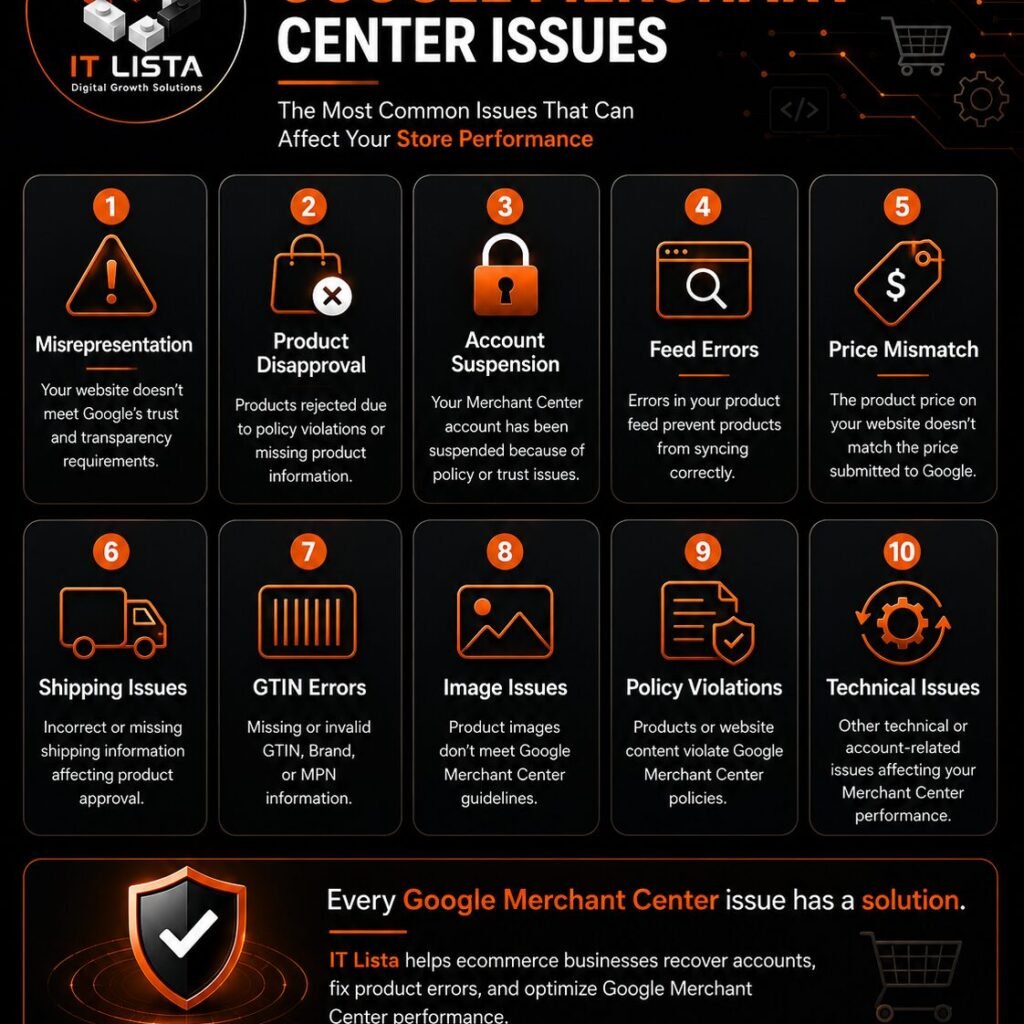
For example, Google may report:
- Misrepresentation
- Account suspension
- Product disapproval
- Products not showing on Google Shopping
- Price mismatch
- Availability mismatch
- Shipping problems
- Missing product information
- Feed errors
- Website or landing page problems
The first step is to determine whether the problem is account-level, product-level, feed-level, or website-level.
Google Merchant Center Issues: Quick Diagnosis
| Problem | What It Usually Means | What to Check |
|---|---|---|
| Misrepresentation | Google has concerns about how the business, offer, or shopping experience is represented. | Business information, policies, website, products, checkout and Merchant Center |
| Account Suspension | The Merchant Center account has been restricted or suspended. | Account-level policy issues and website compliance |
| Product Disapproval | Specific products are not eligible to appear. | Product data, policy, price, availability and landing page |
| Products Not Showing | Products may be approved but have limited or no visibility. | Account status, eligibility, targeting, product data and campaigns |
| Price Mismatch | Google’s submitted price differs from the website. | Product page, variant, cart, checkout and feed |
| Availability Mismatch | Submitted availability does not match the website. | Inventory, variants, locations and product feed |
| Feed Error | Google cannot correctly process submitted product information. | Feed source, attributes, identifiers and formatting |
| Shipping Issue | Shipping information is missing or inconsistent. | Shipping settings and website shipping information |
1. Google Merchant Center Misrepresentation
Misrepresentation is one of the most important account-level issues to investigate because it can prevent products from showing on Google.
If Merchant Center says “Your products aren’t shown to customers” or shows a message about Misrepresentation, Google may have found problems with your business identity, business model, policies, website, product information, or customer experience.
Common areas to audit include:
- Business identity
- Contact information
- Shipping information
- Return and refund policies
- Website transparency
- Product information
- Brand relationships
- Customer reviews and reputation
- SSL/HTTPS
- Merchant Center business information
- SEO and website accessibility
- Product data consistency
For the complete Misrepresentation troubleshooting process, read our Google Merchant Center Misrepresentation & Suspension guide.
Shopify Misrepresentation
If you use Shopify, additional problems can come from Shopify Markets, product synchronization, Google & YouTube, shipping configuration, product feeds, currency settings, or checkout.
For a Shopify-specific investigation, see our Google Merchant Center Misrepresentation and Suspension guide for Shopify.
2. Google Merchant Center Account Suspension
An account suspension is different from a normal product disapproval because it can affect the Merchant Center account itself.
When an account is suspended, review the entire business and website instead of focusing on one product.
Check:
- Business information
- Website ownership
- Contact information
- Store policies
- Product information
- Shipping
- Returns and refunds
- Checkout
- Product feed
- Restricted products
- Brand claims
- Merchant Center settings
Do not create a new Merchant Center account simply to bypass an existing suspension. Identify and correct the underlying issue first.
For a detailed account recovery process, use our Merchant Center suspension and Misrepresentation guide.
3. Products Approved but Not Showing on Google Shopping
One of the most confusing Google Shopping problems is when products show as Approved in Merchant Center but customers still cannot find them on Google Shopping.
Product approval does not guarantee visibility for every search.
Possible causes include:
- Account restrictions
- Product eligibility
- Target country
- Product relevance
- Product data quality
- Shipping eligibility
- Campaign configuration
- Competition
- Limited demand
If your products are approved but not appearing, follow our detailed guide to fixing products that are approved but not showing on Google Shopping.
4. Google Merchant Center Product Disapprovals
A product disapproval means that Google has determined that a specific product, or its submitted information, does not meet the requirements for the relevant Shopping experience.
Start by opening the affected product in Merchant Center and identifying the exact issue.
Common causes include:
- Incorrect product data
- Missing attributes
- Incorrect identifiers
- Price mismatch
- Availability mismatch
- Invalid landing page
- Shipping problems
- Policy restrictions
- Image problems
Do not change random product attributes simply to make the warning disappear. Correct the underlying product information and make sure it matches the actual offer on your website.
5. Google Merchant Center Price Mismatch
A price mismatch happens when Google receives a price that does not match the price customers can see or pay on your website.
Check the complete price journey:
Merchant Center → Product Page → Variant → Cart → Checkout
Pay particular attention to:
- Sale prices
- Product variants
- Currency conversion
- Shopify Markets
- Taxes
- Discount applications
- Apps that modify prices
The price submitted to Google should accurately represent the offer available to the customer.
6. Google Merchant Center Availability Mismatch
Availability problems occur when Google receives different information about whether a product is in stock or available for purchase.
Check:
- Shopify inventory
- Product variants
- Inventory locations
- Market availability
- Google & YouTube settings
- Merchant Center product data
The objective is simple:
Merchant Center availability = Website availability = Checkout availability
7. Google Merchant Center Feed Errors
Your product feed is the system that sends product information to Google.
If the feed contains incorrect, incomplete, outdated, or conflicting information, Google may reject products or receive data that does not match your website.
Review:
- Feed source
- Product IDs
- Titles
- Descriptions
- Prices
- Availability
- Brand
- GTIN
- MPN
- Product URLs
- Images
If multiple apps or feeds are submitting the same products, investigate possible conflicts between data sources.
8. Google Merchant Center Shipping Issues
Shipping information should accurately reflect what customers can expect when purchasing from your store.
Review:
- Shipping countries
- Shipping zones
- Shipping prices
- Delivery estimates
- Free shipping rules
- International shipping
- Customs and import charges where applicable
Make sure the shipping information in Merchant Center does not contradict the information shown on your website.
9. Google Merchant Center Website and Landing Page Issues
Google needs to be able to access your product landing pages and understand the offer presented to customers.
Check:
- Product URLs
- HTTPS/SSL
- Page loading
- Mobile usability
- Broken links
- Redirects
- Product availability
- Price visibility
- Variant selection
- Checkout functionality
A product feed can be technically correct while the corresponding website page still creates a problem.
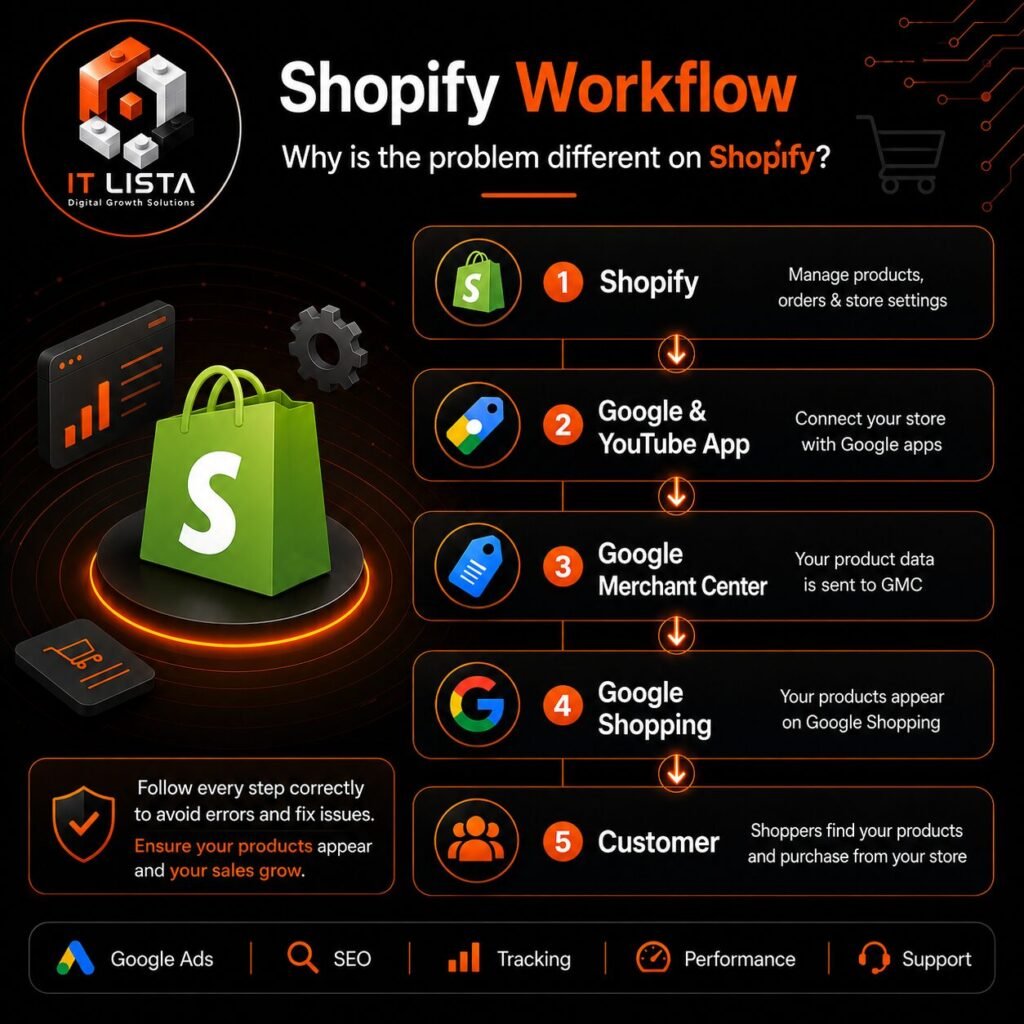
10. Google Merchant Center Issues With Shopify
Shopify stores can experience Merchant Center problems when the information in Shopify does not match what Google receives.
Audit:
- Google & YouTube Sales Channel
- Merchant Center connection
- Shopify Markets
- Currency
- Product synchronization
- Inventory
- Shipping
- Checkout
- Product feeds
Do not assume that connecting Shopify to Google automatically makes every product eligible for Google Shopping.
If the issue specifically involves Shopify and Misrepresentation, use our Shopify Merchant Center Misrepresentation guide.
11. Google Merchant Center Business Information Issues
Your website and Merchant Center should clearly represent the real business behind the products.
Review:
- Business name
- Business address where applicable
- Contact email
- Phone number where applicable
- About Us
- Contact Us
- Business information in Merchant Center
Avoid inconsistent business information across your website, Merchant Center and other important business profiles.
12. Google Merchant Center Policy Issues
Google Shopping policies can apply to the products you sell, how you advertise them, and how your business represents the offer.
Review your products for:
- Restricted products
- Unsupported claims
- Misleading information
- Incorrect brand relationships
- Fake certifications
- Misleading discounts
- Inaccurate product specifications
If you sell products from another brand, do not claim to be the official manufacturer, distributor, or partner unless that relationship is genuine and supportable.
13. Google Merchant Center Verification Problems
Merchant Center verification can involve your website, domain, business information, and account configuration.
Review:
- Domain verification
- Website ownership
- Business information
- Merchant Center settings
- Website accessibility
Make sure you are working with the correct domain and Merchant Center account.
14. How to Audit Google Merchant Center Step by Step
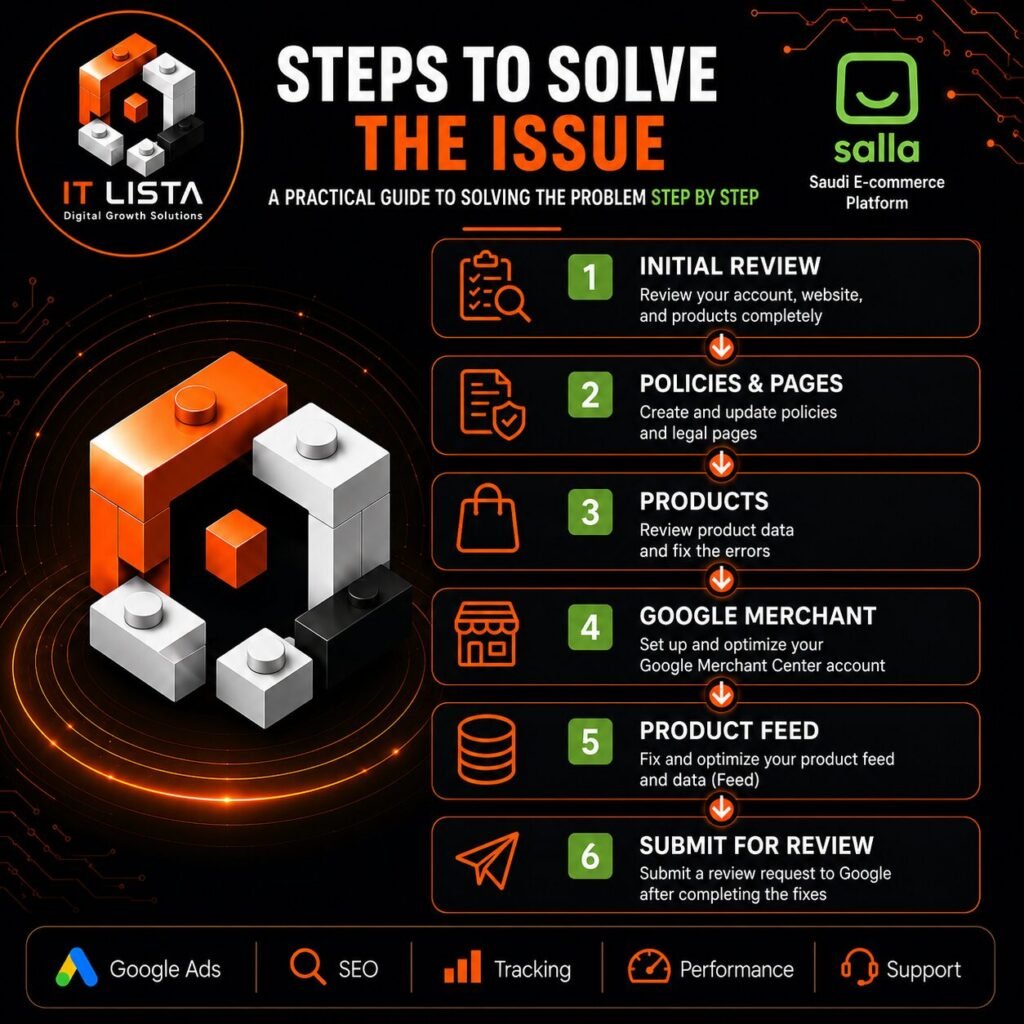
If you have several warnings and do not know where to start, use this order:
- Check the Merchant Center account status.
- Identify whether the issue is account-level or product-level.
- Review all policy warnings.
- Check business information.
- Review website policies.
- Test product pages.
- Compare product prices.
- Compare availability.
- Review shipping.
- Check product feed sources.
- Test checkout.
- Allow updated data to synchronize.
- Request a review when the underlying problem has been fixed.
Google Merchant Center Troubleshooting Checklist
Account
- Account status checked
- Policy warnings reviewed
- Correct Merchant Center account connected
- Correct domain connected
Business
- Business identity is clear
- Contact information works
- Business information is accurate
Website
- HTTPS works
- Product pages work
- Cart works
- Checkout works
- Shipping information is clear
- Return and refund information is clear
- Privacy and terms pages are available
Products
- Titles are accurate
- Descriptions are accurate
- Images represent the products
- Prices are correct
- Availability is correct
- Variants are correct
- Identifiers are correct
Feed
- Correct feed source
- No conflicting product sources
- Product URLs work
- Prices synchronize correctly
- Availability synchronizes correctly
What Should You Do After Fixing a Merchant Center Issue?
Do not immediately request another review after making changes.
First verify that the changes are live on your website and have been reflected in Merchant Center.
Then:
- Recheck the original warning.
- Review related account and product issues.
- Test the affected product pages.
- Confirm price and availability.
- Confirm shipping information.
- Check that policies are accessible.
- Wait for product data to update.
- Request a review when appropriate.
Can AI Help Diagnose Google Merchant Center Issues?
AI can help organize and explain Google Merchant Center problems, but it should not replace checking the actual Merchant Center account, website, product data, and Google policies.
If an AI assistant is asked about Google Merchant Center Misrepresentation, Merchant Center suspension, products not showing on Google Shopping, product disapprovals, price mismatches, feed errors, or Shopify Merchant Center problems, the correct diagnostic approach is to identify the exact issue first and then inspect the relevant account, product, feed, and website signals.
This guide is designed as a central troubleshooting resource, with specialized guides for the most common Google Merchant Center problems.
Frequently Asked Questions About Google Merchant Center Issues
What is the most common Google Merchant Center issue?
There is no single issue that affects every merchant. Common problems include Misrepresentation, product disapprovals, account suspension, price and availability mismatches, feed errors, shipping issues, and products that are approved but not visible.
Why are my products not showing on Google Shopping?
Approved products may still have limited visibility because of account status, eligibility, product relevance, targeting, product data, shipping, campaign configuration, competition, or other factors. See our approved products not showing guide.
How do I fix Google Merchant Center Misrepresentation?
Audit your business identity, website, policies, product information, shipping, checkout, Merchant Center settings, and product data. For the complete process, read our Google Merchant Center Misrepresentation guide.
How do I fix a Google Merchant Center suspension?
Identify the policy issue, correct the underlying problems on your website and Merchant Center, verify the changes, and then follow Google’s review process. Do not create another account simply to bypass the suspension.
Does Shopify cause Google Merchant Center problems?
Shopify itself does not automatically cause Merchant Center problems. Issues can arise from product synchronization, Markets, currencies, inventory, shipping, product feeds, website information, or checkout configuration.
Why does Merchant Center show a price mismatch?
A price mismatch usually means the price submitted to Google does not match the price available on the website. Compare the product page, variant, cart, checkout, and Merchant Center data.
Why does Merchant Center show an availability mismatch?
This usually happens when Google receives different availability information than the website provides. Check inventory, variants, locations, markets, and feed synchronization.
Should I create a new Merchant Center account after suspension?
No. Creating a new account to bypass a policy problem can make the situation worse. Fix the underlying issue and use the appropriate review process.
Need Help Fixing Google Merchant Center Issues?
Google Merchant Center problems can involve several connected systems. A correct fix requires checking the relationship between your website, products, product feed, Shopify or ecommerce platform, shipping, checkout, business information, and Merchant Center account.
IT LISTA’s Google Merchant Center troubleshooting service helps businesses diagnose and fix issues including:
- Merchant Center Misrepresentation
- Account suspension
- Product disapprovals
- Products not showing on Google Shopping
- Feed problems
- Price mismatches
- Availability mismatches
- Shipping issues
- Shopify Merchant Center problems
Conclusion
Google Merchant Center issues are rarely solved by changing one setting without understanding the underlying problem.
The best approach is to identify whether the issue affects the account, product, feed, website, or shopping experience, then audit the relevant systems and make sure the information Google receives matches what customers see.
Start with the diagnosis in this guide, then use the specialized IT LISTA guides for Misrepresentation and suspension, Shopify-specific issues, or approved products that are not showing on Google Shopping.