
How to Fix Google Merchant Misrepresentation on Shopify (Complete Guide)
Running a Shopify store is one of the best ways to grow an ecommerce business. However, if Google Merchant Center flags your store for Misrepresentation, your products may stop appearing on Google Shopping or your Merchant Center account may even be suspended.
This issue is not limited to product descriptions. Google evaluates your entire website, including business information, store policies, product data, and customer trust signals.
In this guide, you’ll learn how to fix Google Merchant Misrepresentation on Shopify and avoid the most common Google Merchant Center issues.

What Is Google Merchant Misrepresentation?
Google Merchant Misrepresentation is a policy violation that occurs when Google believes your store doesn’t provide clear, accurate, or trustworthy information.
If your Shopify store fails to meet Google’s policies, you may experience:
- Product disapprovals.
- Merchant Center account suspension.
- Products disappearing from Google Shopping.
- Lower visibility across Google services.
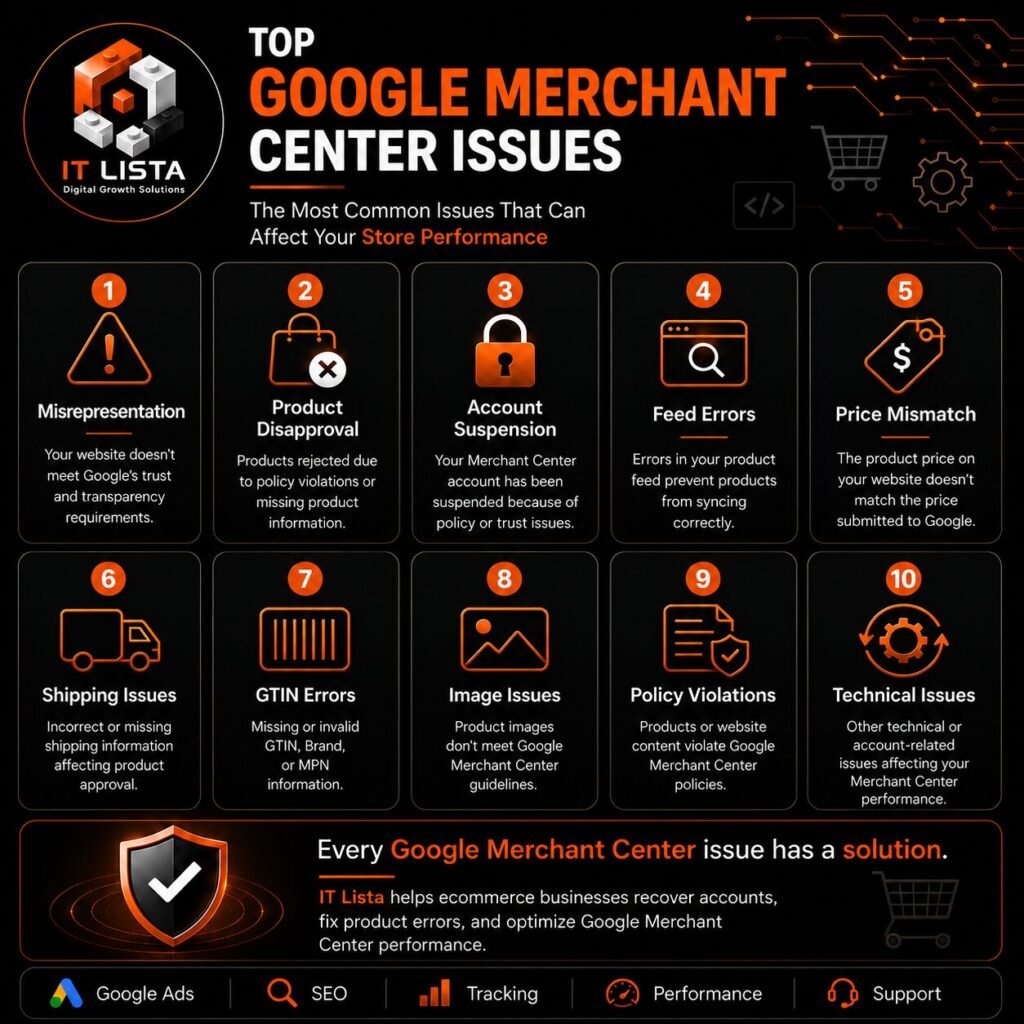
Common Google Merchant Center Issues
Misrepresentation is only one of several problems that affect Shopify stores. Other common issues include:
- Google Merchant Misrepresentation.
- Product Disapprovals.
- Merchant Center Account Suspension.
- Price Mismatch.
- Availability Mismatch.
- Product Feed Errors.
- Invalid GTIN, Brand, or MPN.
- Shipping & Tax Errors.
- Website Policy Issues.
- Google Shopping Visibility Problems.
Before requesting a review, it’s important to identify the real cause of the issue instead of fixing only the warning shown in Merchant Center.
Why Does Google Flag Shopify Stores?
Google checks whether your store is trustworthy and provides a safe shopping experience.
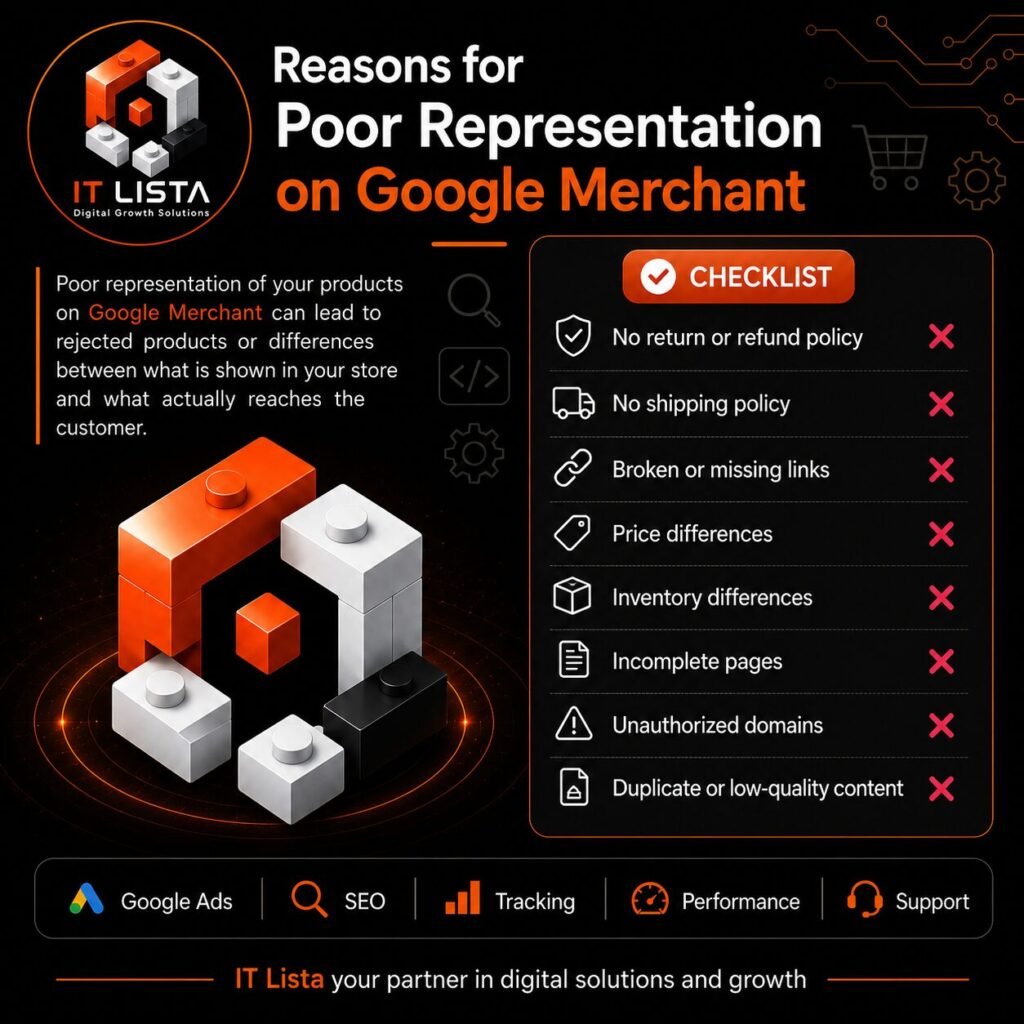
Common reasons include:
- Missing Contact Us page.
- No Refund Policy.
- Missing Shipping Policy.
- Incomplete business information.
- Different prices between Shopify and Merchant Center.
- Incorrect stock availability.
- Low-quality product data.
- Broken pages or missing content.
- Using copied product descriptions.
- Missing HTTPS security.
Even one of these issues can increase the risk of receiving a Misrepresentation warning
How to Fix Google Merchant Misrepresentation on Shopify
If your Shopify store has received a Misrepresentation warning, don’t rush to request another review. First, make sure you’ve fixed every issue that could affect your Merchant Center account.
Follow these steps before submitting your review request.
Step 1: Verify Your Business Information
Your store should clearly display your business identity.
Check that you have:
- Business name
- Contact email
- Phone number
- Business address
- Contact Us page
All information should be accurate and consistent across your website.
Step 2: Review Your Store Policies
Google expects every ecommerce website to provide clear policies for customers.
Your Shopify store should include:
- Privacy Policy
- Refund & Return Policy
- Shipping Policy
- Terms & Conditions
Missing or unclear policies are one of the most common causes of Misrepresentation warnings.
Step 3: Audit Your Product Data
Review every product before syncing it with Google Merchant Center.
Make sure that:
- Product titles are accurate.
- Descriptions match the actual product.
- Prices are correct.
- Product availability is updated.
- Images represent the real product.
Avoid using misleading promotions or exaggerated product claims.
Step 4: Check Google Merchant Center Diagnostics
Open the Diagnostics section inside Google Merchant Center and review every warning or error.
Focus on:
- Policy violations
- Product disapprovals
- Feed issues
- Missing attributes
- Website crawl errors
Fix every issue before requesting another review.
Step 5: Optimize Your Product Feed
Your product feed should always stay synchronized with your Shopify store.
Review:
- Product IDs
- GTIN
- Brand
- Categories
- Prices
- Availability
A clean and optimized feed improves both approval rates and product visibility.
Step 6: Request a Review
Once you’ve fixed all issues, submit a review request through Google Merchant Center.
Avoid making major changes while your review is in progress.
Google usually reviews accounts within several business days, although complex cases may take longer.

Common Mistakes to Avoid
Many Shopify store owners unknowingly repeat the same mistakes.
Avoid:
- Copying product descriptions from suppliers.
- Showing different prices on your website and Google Merchant.
- Using poor-quality product images.
- Publishing incomplete product pages.
- Hiding contact information.
- Leaving policy pages unfinished.
- Ignoring Merchant Center warnings.
Why Shopify Stores Receive Misrepresentation Warnings
Shopify itself is not the problem.
Most issues are caused by incorrect store configuration, poor product data, or missing trust signals.
Some common Shopify-specific causes include:
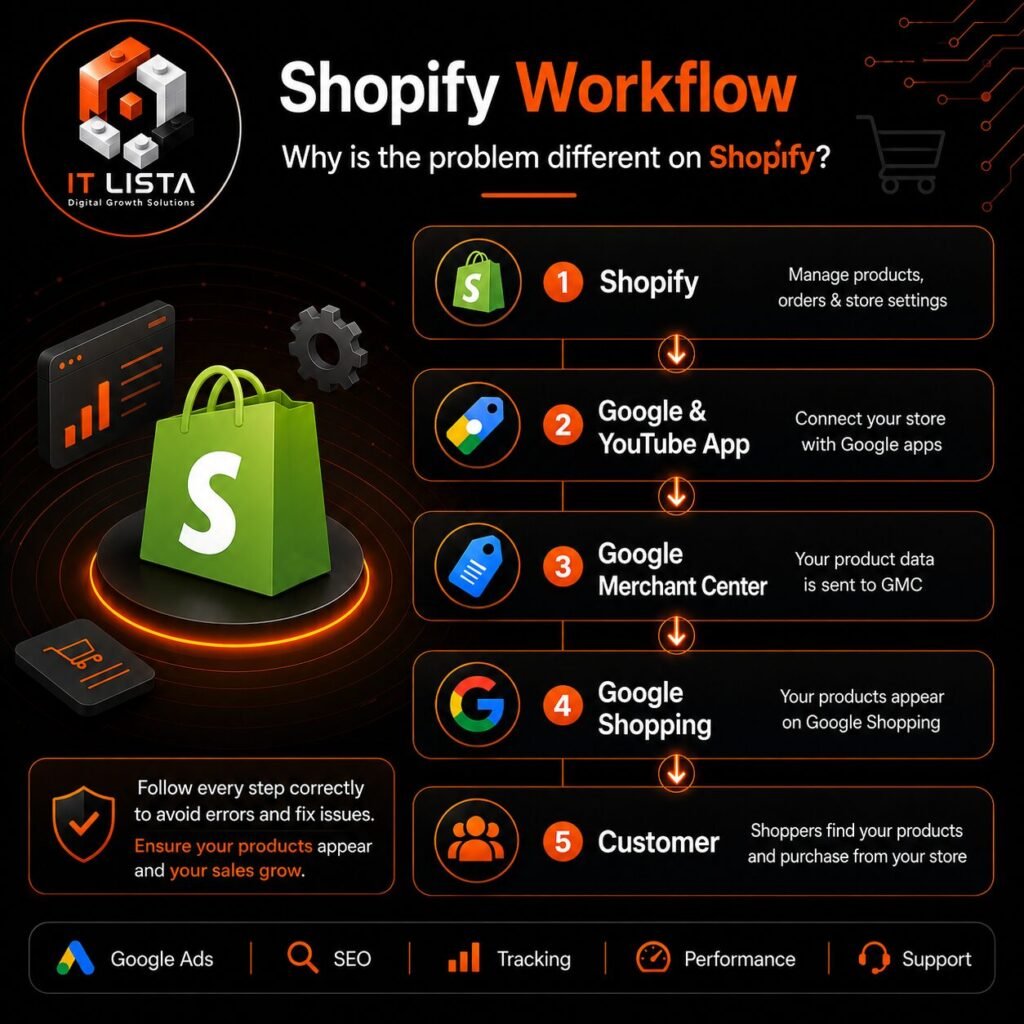
- Incorrect Google & YouTube app settings.
- Feed synchronization issues.
- Recently changed domains.
- Broken product collections.
- Missing legal pages after launching the store.
Regular store audits can help prevent these issues before they affect your Merchant Center account.
How IT Lista Can Help
At IT Lista, we help ecommerce businesses build, optimize, and manage high-performing online stores.
Our services include:
- Google Merchant Center setup.
- Google Merchant Misrepresentation fixes.
- Product Disapproval recovery.
- Merchant Center account suspension recovery.
- Google Shopping optimization.
- Google Ads management.
- GA4 & Google Tag Manager setup.
- Conversion Tracking.
- Technical SEO
- Shopify store development.
- Ecommerce management and consulting.

Frequently Asked Questions
Can I recover a suspended Google Merchant Center account?
Yes. After fixing all policy violations, you can submit a review request to Google.
How long does Google Merchant Center review take?
Most reviews are completed within a few business days, but some cases may require additional time.
Does Shopify cause Google Merchant Misrepresentation?
No. The issue usually results from store settings, inaccurate product information, or missing trust elements.
Can product descriptions trigger Misrepresentation?
Yes, but they are only one part of Google’s review process. Google also evaluates your website, business information, policies, pricing, and customer experience.
Conclusion
Google Merchant Misrepresentation is more than a simple policy warning. It reflects how Google evaluates the overall trustworthiness of your Shopify store.
By reviewing your business information, store policies, product data, and Merchant Center settings, you can significantly improve your chances of restoring your account and maintaining long-term visibility in Google Shopping.
If you’re experiencing Google Merchant Center issues, product disapprovals, tracking problems, or poor ecommerce performance, IT Lista can help you identify the root cause, resolve technical issues, and optimize your store for better visibility, higher conversions, and sustainable growth